Choose where synced emails appear
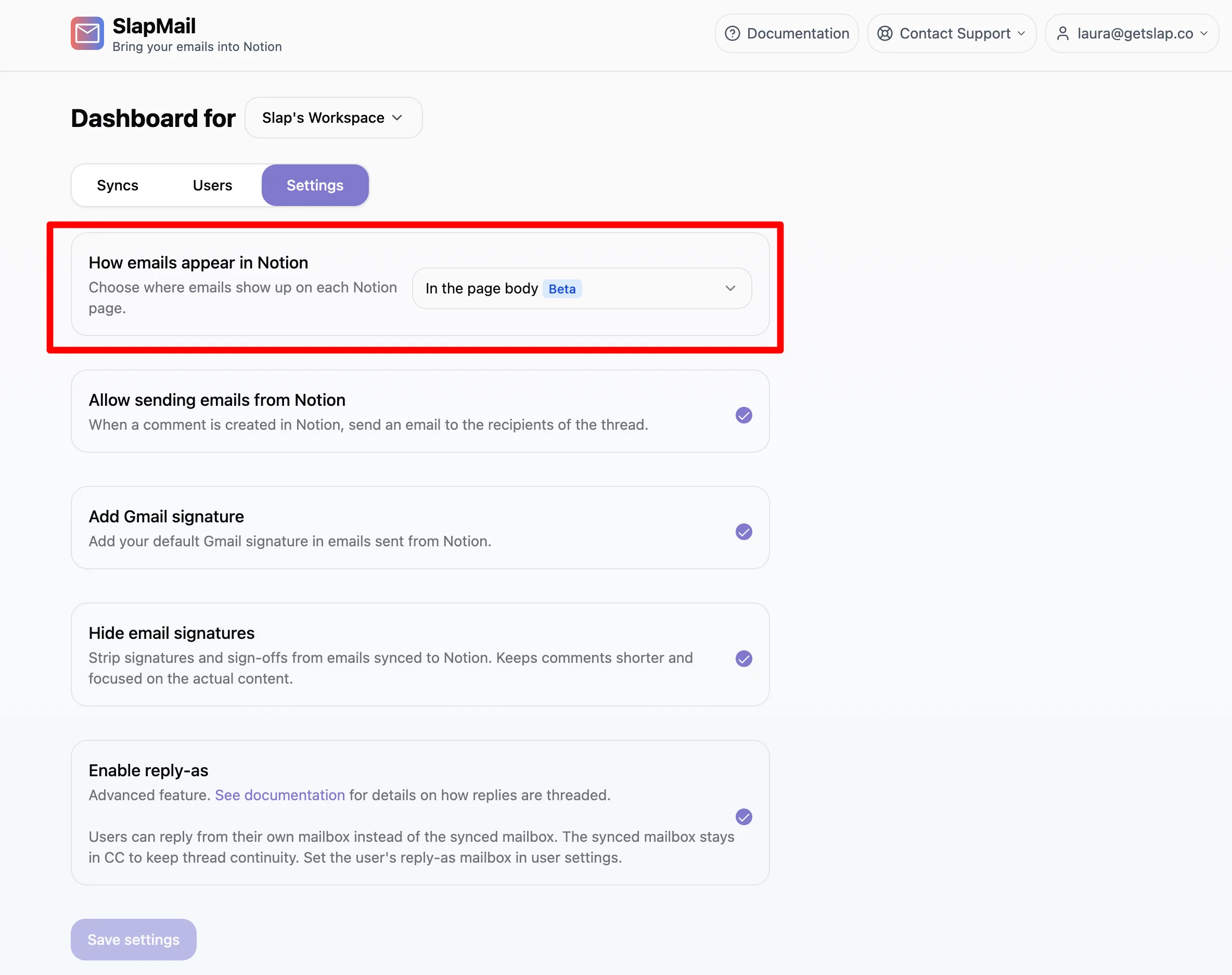
By default, Slap adds the content of each synced email to the comment section of the Notion page. You can also choose to add it directly to the page body instead, as a collapsible toggle. You control this from the “How emails appear in Notion” setting in your Owner Dashboard.
The two modes
In page comments (default)
Each synced email is added to the comment section of the related Notion page. Replies you send by adding a comment go out as emails, and new emails in the thread come back as new comments. This is the original Slap behavior.
For the content to show up, make sure the comment section is displayed in your Notion database.
In the page body
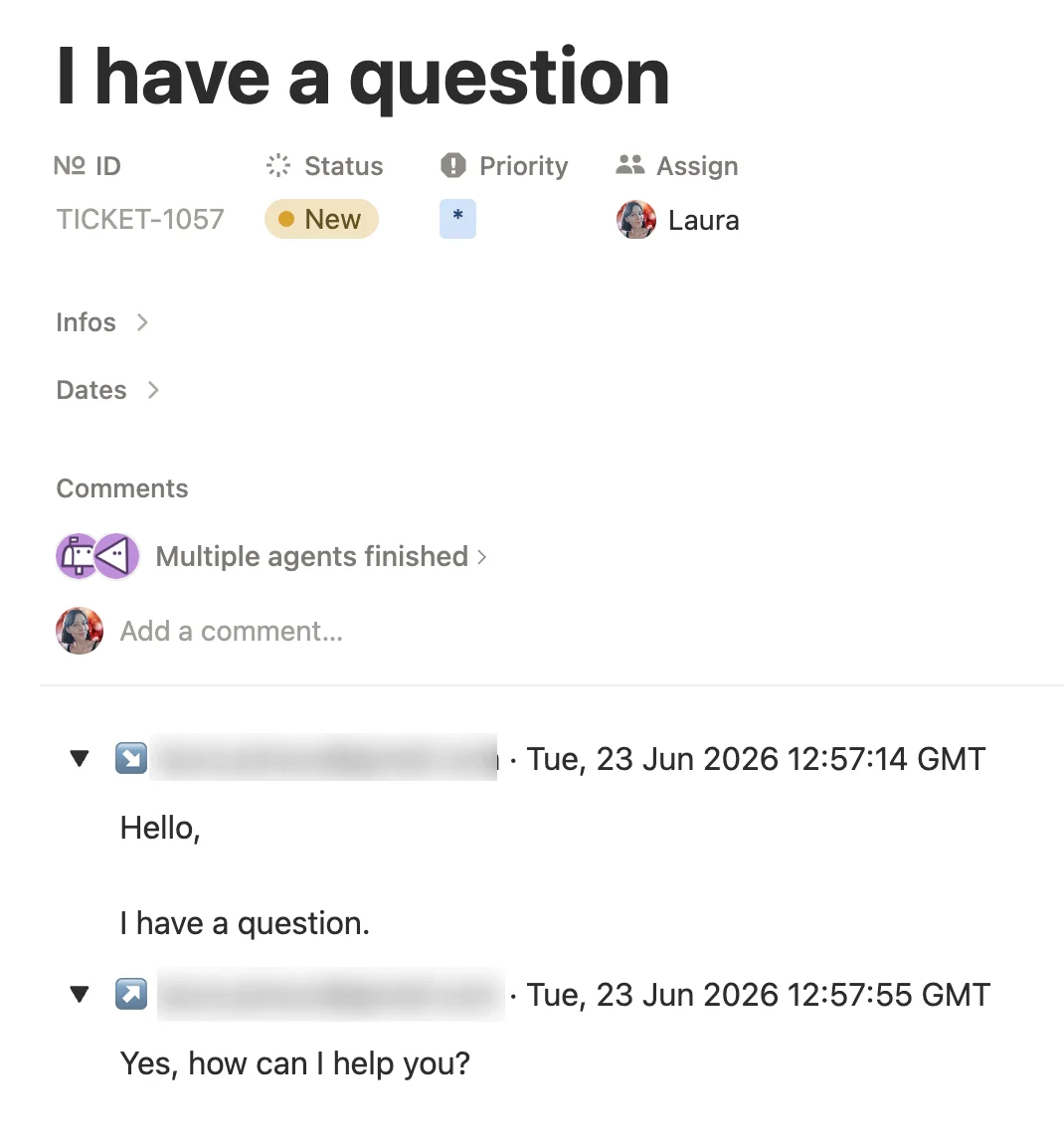
Each synced email is added directly to the page body, as a collapsible toggle that contains the full email. The toggles are labelled by direction:
- Inbound emails show ↘ [sender] · [date].
- Outbound emails show ↗ [recipients] · [date].
This mode keeps much more of the original email: inline images, attachments all render inside the toggle, so a thread reads more like it does in your mailbox.
A few things to know:
- When you reply by leaving a Notion comment, the sent email is also reflected in the page body as an outbound toggle.
- The quoted history of an email (earlier replies and quoted text) is kept in a collapsed
...toggle at the bottom of that email’s toggle. Forwarded content stays visible in the email itself. In the In page comments mode, the quoted history is removed.
How to change the setting
- Open your Settings.
- Find the “How emails appear in Notion” setting.
- Choose In page comments or In the page body.
The setting applies to emails synced from that point on.
Which mode should you choose?
- Choose In page comments for simple back-and-forth conversations: one email, one reply, one email. It gives the best conversation experience and works great for customer support.
- Choose In the page body when you mainly want to archive emails. It gives a richer reading experience for longer emails, such as newsletters, with inline images. It is also the best choice when you receive forwarded email threads, because the full history of the earlier emails is kept.