Get notified when new emails arrive
This guide shows you how to set up automatic notifications when new emails arrive in Notion using a simple Notion automation. You can notify specific team members, variable assignees, or both.
What you need
- The “Last received email date” property configured in your Slap settings. Check out this documentation .
- Optionally: a person property in your database (like “Responsible” or “Assigned to”) if you want to notify variable assignees
How to set it up
- Open the Notion database where Slap syncs your emails
- Click + New automation
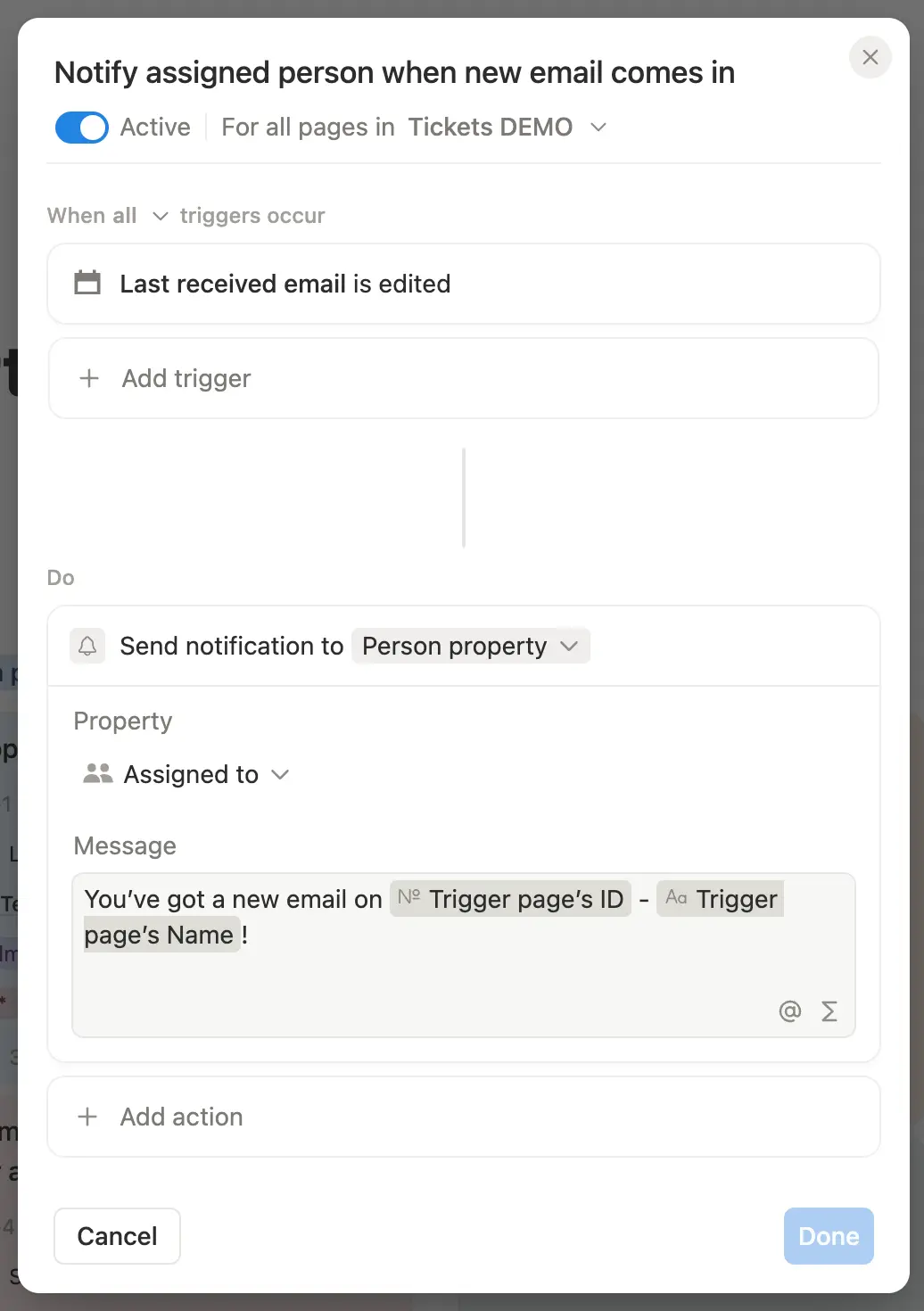
- Configure the trigger:
- When: Property edited
- Property: Last received email date
- Configure the action:
- Do: Send notification
- To: Choose one of these options:
- Specific people: Select individual team members who should always be notified
- Person property: Select your person property (e.g., “Responsible”) to notify whoever is assigned
- Message: Customize your notification message (e.g., “New email received on ticketID - ticketName”)
- Click Done
Now, whenever a new email arrives on a ticket (updating the “Last received email date”), Notion will automatically notify the right people.