Attachments
Attachments in synced emails
When an email containing attachments (images, videos, PDFs, etc.) gets synced in Notion, those attachments are stored in your Notion workspace.
Attachments in comments
For every synced email, Slap creates a comment on the related Notion page. The attachments in the email are linked to the comment.
Notes:
- The Notion API only supports up to 3 attachments per comment. If the synced email contains more than 3 attachments, Slap creates multiple comments so all attachments are added.
- Notion only supports some file types. You can find the complete list of supported file types here . Attachments with an unsupported file type are not uploaded to Notion.
- Free Notion workspaces only accept attachments up to 5 MB. If the attachment is larger, it will not be uploaded.
Attachments in a Files & media property
Additionally, you can also store attachments in a Files & media property on the Notion page itself.
To do this:
- In your Notion database, add a property with the type Files & media (for example, call it
Attachments). - In your Email-to-Notion sync settings in Slap, map email attachments to this Files & media property.
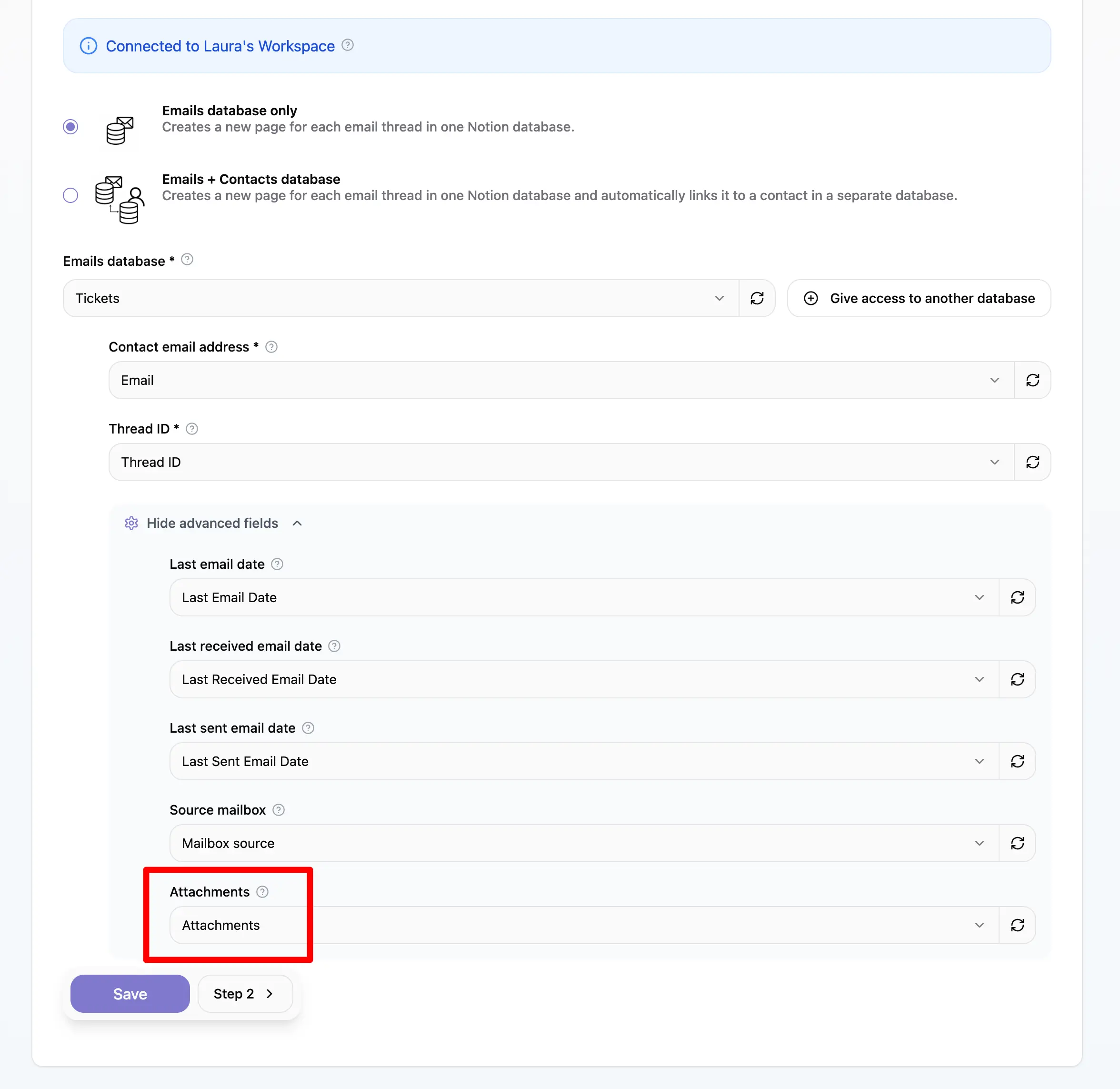
Once this is configured:
- Attachments from synced emails appear in the comment
- The same attachments are also stored in the Files & media property on the page
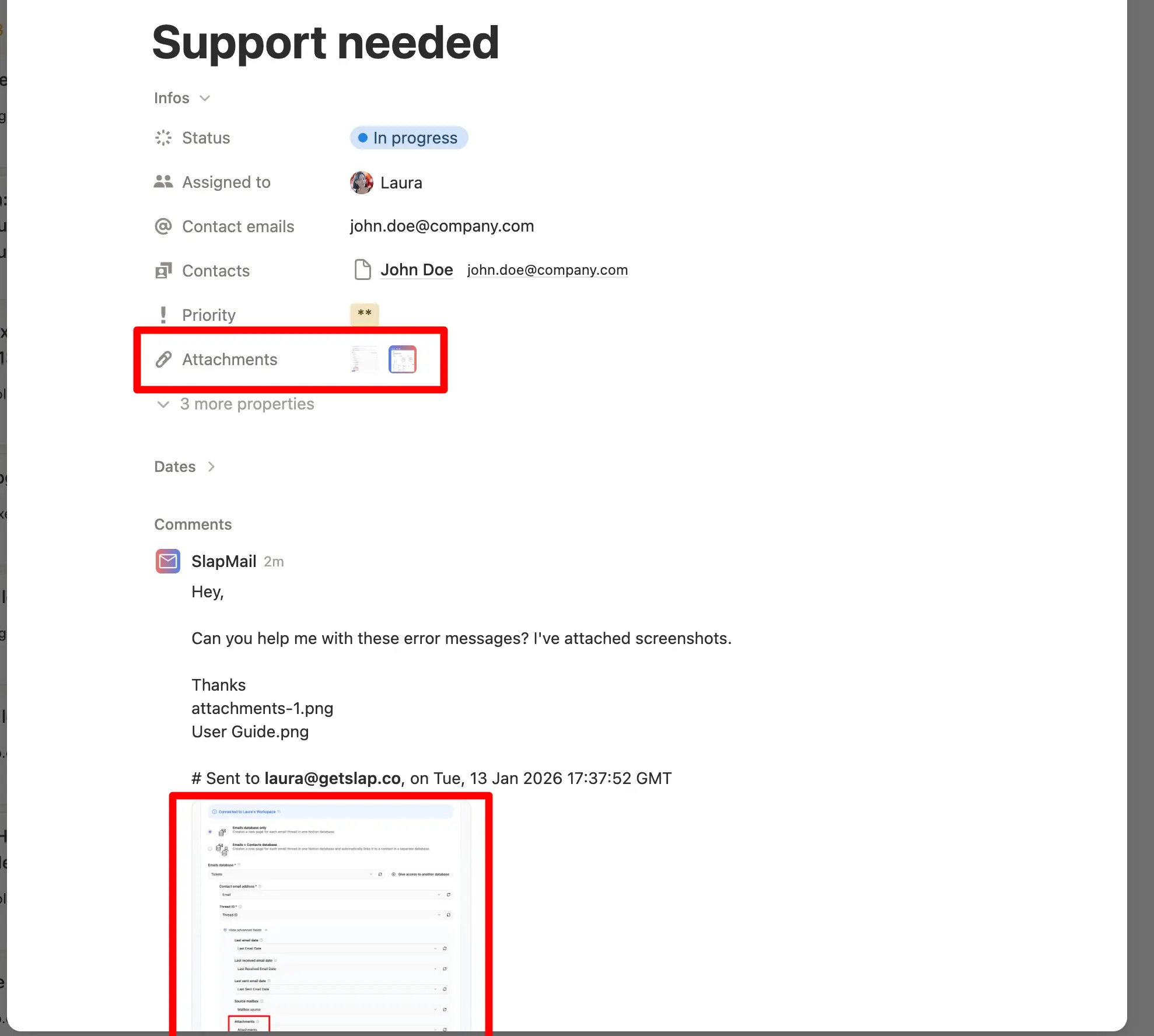
This makes it easier to see all files attached to a thread directly from the database view.
Legacy attachment system
For some older workspaces, attachments from earlier emails may still be stored on Slap’s servers instead of directly in Notion. This does not affect how you work with attachments in Notion today. If you want us to delete those older attachments, contact us at hello@getslap.co
.
Sending attachments from Notion
Unfortunately, you can’t yet send attachments from Notion.
In the meantime, you have two options:
- Store the attachment elsewhere (e.g. Google Drive) and share the link to the attachment.
- Open the email in your mailbox (see how to add a quick link to your mailbox ) and send the email with attachment from there (it will be synced with your Notion ticket).
Attention needed
Be careful: if you add an attachment only on the Notion comment or page, it will not be sent with the email.